Brand overview
What Logitech does well—and where it fits
Founded in 1981 in Lausanne, Switzerland, Logitech makes software-enabled hardware for work and play. Its portfolio spans mice, keyboards, webcams, headsets, speakers, gaming gear, tablet accessories, and business collaboration products. For productivity buyers, the main appeal is a wide choice of specialized hardware connected by software such as Logi Options+.
- Broad range across productivity, ergonomics, gaming, streaming, and collaboration
- Shared Logi Options+ software for many premium mice and keyboards
- Bluetooth and Logi Bolt options across selected productivity devices
- Official product documentation and support resources
- Multiple price tiers, shapes, layouts, and regional editions
Logitech product lineup
The 3 standout products in this brand review
These products show how the brand performs across different needs and price points. Each receives its own rating, price reference, strengths, limitations, and offer link.
Best for advanced productivity
Logitech MX Master 3S
by Logitech
Best for: Right-handed desk users working across multiple computers and long documents
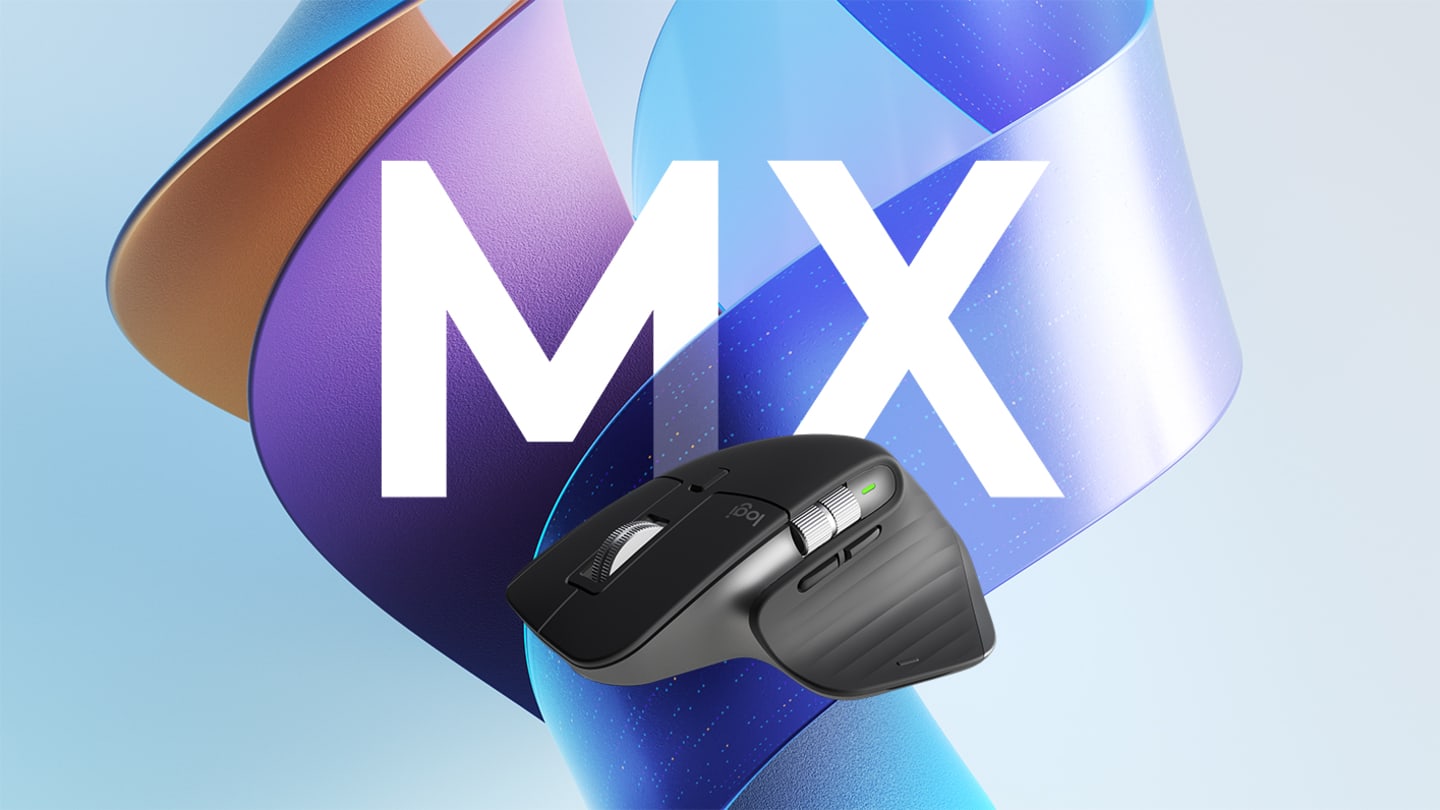
A full-size right-handed productivity mouse with an 8,000 DPI sensor, MagSpeed wheel, thumb wheel, quiet clicks, and multi-device support.
Our review
The MX Master 3S represents Logitech's premium productivity approach better than almost any other device. Its fast scrolling, horizontal thumb wheel, quiet controls, and application-specific customization suit long documents, spreadsheets, and creative timelines. The tall 141 g body is not universal, however, and left-handed or small-handed users should compare the shape before buying.
What stands out
- Excellent scrolling for long pages and timelines
- Quiet main buttons suit shared workspaces
- Extensive customization through Logi Options+
- Supports multiple devices
Keep in mind
- Large and relatively heavy
- Right-handed shape only
- Edition contents vary
- Sensor
- 8,000 DPI Darkfield
- Connections
- Bluetooth Low Energy / Logi Bolt
- Weight
- 141 g / 4.97 oz
- Charging
- USB-C
Direct manufacturer link. Price and availability can vary by region.
Best compact keyboard
Logitech MX Keys Mini
by Logitech
Best for: Writers, creators, and remote workers who prefer a compact low-profile keyboard
A compact low-profile wireless keyboard with smart illumination, multi-device workflow, and a space-saving layout.
Our review
MX Keys Mini shows the more polished side of Logitech's keyboard range. The compact layout keeps the mouse closer and works well on smaller desks, while smart illumination and shaped low-profile keys target laptop-style typists. Buyers who enter numbers frequently should compare the full-size version because the Mini omits a dedicated number pad.
What stands out
- Compact layout saves desk space
- Smart backlighting
- Comfortable low-profile typing
- Works in a multi-device setup
Keep in mind
- No dedicated number pad
- Premium price for a membrane keyboard
- Layouts vary by region
- Type
- Low-profile wireless keyboard
- Layout
- Compact, no number pad
- Backlight
- Smart illumination
- Charging
- USB-C
Direct manufacturer link. Price and availability can vary by region.
Best ergonomic alternative
Logitech Lift Vertical Ergonomic Mouse
by Logitech
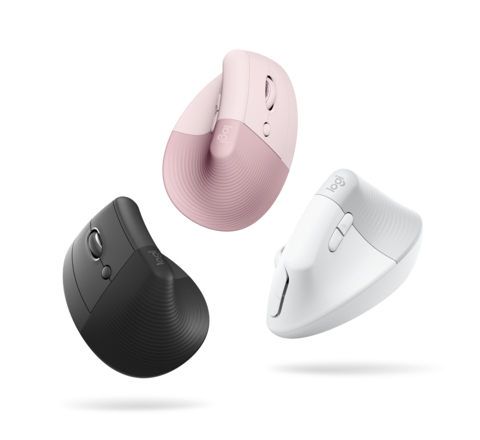
Best for: Small- to medium-sized hands and quiet shared workspaces
A 57-degree vertical mouse with quiet controls, a thumb rest, and selected left-handed versions for small- to medium-sized hands.
Our review
Lift demonstrates Logitech's ability to serve a more specific ergonomic use case. Its 57-degree posture, quiet clicks, and small-to-medium hand target make it more approachable than many large vertical mice. It is not automatically more comfortable for everyone: the shape requires an adjustment period, large hands may need another model, and left-handed availability depends on the market.
What stands out
- Purpose-built 57-degree vertical shape
- Quiet controls
- Bluetooth and Logi Bolt connectivity
- Left-handed version in selected markets
Keep in mind
- Not intended for larger hands
- Vertical shape takes time to learn
- Regional options vary
- Orientation
- 57-degree vertical
- Hand size
- Small to medium
- Connections
- Bluetooth Low Energy / Logi Bolt
- Power
- 1 x AA battery
Direct manufacturer link. Price and availability can vary by region.
How we evaluated Logitech as a brand
This review looks beyond a single device. We assessed the consistency of Logitech's productivity hardware, the usefulness of its software, the breadth of its lineup, regional variation, official support resources, and the value offered at several price points. The product examples below are representative rather than a complete catalog.
Hardware design across the range
Logitech's clearest strength is specialization. The MX line is designed around multi-device productivity and customization, while the Ergo line addresses posture and alternative hand positions. This makes it easier to choose a device around a specific job, but it also means that the best-known models are not universally suitable. The MX Master 3S is large and right-handed, the MX Keys Mini omits a number pad, and Lift is intended mainly for small- to medium-sized hands.
The software ecosystem
Logi Options+ ties many premium mice and keyboards together through button assignments, shortcuts, pointer settings, and application-specific profiles. That shared software can make a Logitech desk setup feel coherent. The tradeoff is dependence on a desktop application for advanced customization; basic hardware functions remain available, but some of the value disappears on unsupported or locked-down systems.
Connectivity and compatibility
Many current productivity models support Bluetooth, while selected devices also work with Logi Bolt receivers. Buyers should not assume that every edition includes a receiver or cable. Model numbers, keyboard layouts, colors, left-handed versions, warranty terms, and package contents can change by region, so the local product page remains the final reference.
Pricing and value
Logitech covers entry-level accessories through premium productivity and gaming hardware. The three products highlighted here sit in the upper-middle or premium part of the personal workspace range. Their value depends on whether features such as multi-device switching, smart illumination, ergonomic shaping, quiet controls, and software customization are useful in the buyer's daily workflow.
Support and product longevity
Logitech maintains product support pages, software downloads, setup guidance, and spare-parts resources for selected products. Documentation depth is a positive, although support experience and warranty coverage can differ by country and seller. Buyers should keep the exact model number and proof of purchase because similarly named editions may have different contents or compatibility.
Who should consider Logitech
The brand is a strong fit for home-office users, creators, remote workers, and multi-device desks where productivity controls and broad platform support matter. It is also worth considering when a buyer wants several peripherals managed through one software ecosystem.
Who should compare alternatives
Compare other brands if open-source configuration, easy battery replacement, repairability, left-handed choice, competitive gaming performance, or the lowest possible price is the priority. A broad catalog is useful, but it also requires careful comparison between overlapping models and editions.
Bottom line
Logitech earns a strong brand-level score because its productivity portfolio combines mature hardware categories with useful cross-device software and widely available support documentation. The best purchase is still model-specific: choose around hand size, layout, operating system, receiver requirements, and the exact features you will use.
The brand-level tradeoffs
Why consider Logitech
- Strong choice of specialized productivity peripherals
- Useful multi-device and customization features on supported models
- Well-established support and software ecosystem
- Product pages provide detailed compatibility and sustainability information
- Options for compact, full-size, ergonomic, business, and creator workflows
Reasons to compare alternatives
- Premium models can be expensive relative to basic alternatives
- Advanced features often rely on Logi Options+
- Model numbers and package contents can vary by region
- Left-handed and repairable options remain limited in parts of the range
- A large catalog creates overlap that can make comparison harder
Brand facts at a glance
| Founded | 1981 |
|---|---|
| Origin | Lausanne, Switzerland |
| Core categories | Mice, keyboards, webcams, audio, gaming, and collaboration |
| Productivity software | Logi Options+ |
| Availability | Global; models, layouts, prices, and warranties vary by region |
See Also
Official brand, product, software, sustainability, and support resources.